

Common Signs That You Need a Handphone Repair
Handphones come in many shapes and sizes—and so do their problems. From cracked screens to battery issues, there are many signs that could point to a handphone repair. Understanding what these signs are and how they affect your phone can help you make the definitive decision.
So don’t neglect these signs and always be vigilant, because a repair might be needed sooner rather than later:
- Crack or Unresponsive Screen
A cracked screen is usually just an eyesore. Nonetheless, some cracks are so bad that they become a frustrating experience. Deep cracks can affect the touch response, making taps and swipes less accurate or unresponsive.In some cases, cracks can spread, leading to dead zones where parts of the screen no longer work. A shattered screen can also expose internal components to dust, moisture and further damage.
Struggling to type, unlock your phone or ghost touches are signs you need immediate screen repair.
- Rapid Battery Drain
Remember when your phone could last the whole day? Needing to charge every few hours, even with minimal use is the sign of a weak battery. Lithium-ion batteries gradually wear out, losing their ability to store a charge.If your battery percentage drops drastically within minutes, it’s likely time for a battery replacement. Another sign— if your phone gets unusually hot while charging or using apps. This could indicate a swollen or failing battery, requiring immediate attention.
- Charging Problems
Common charging problems stem from dirty ports, faulty cables or software bugs. These problems can cause your phone to charge slower or not at all. Some troubleshooting methods include cleaning the port, changing chargers or clearing cache.If that doesn’t work, the problem might be hardware-related. A damaged charging port or faulty battery requires professional handphone repair. On a side note, avoid using faulty charging cables as they can damage your Integrated Circuits (IC).
- Overheating Issues
It’s normal for your phone to get a little warm during heavy usage. But getting excessively hot during simple tasks can be a major problem. This includes texting, scrolling social media or even when idle.Overheating can be caused by a failing battery, excessive background processes or internal hardware issues. If your phone shuts down due to heat, it’s best to get it checked before internal components get permanently damaged.
- Frequent Freezing or Crashing
A phone that freezes midway can be annoying to say the least. Nonetheless, freezing or crashing is something all phones experience now and then. It’s a common issue caused by generic problems such as insufficient memory, outdated software or low storage space.Malware or viruses can also disrupt your phone’s operation, leading to freezing or crashing. All things considered, we highly recommend getting a handphone repair when it’s hardware related.
This is when the freezing and crashing intensifies, or when troubleshooting methods do not work.
- Poor Audio Quality
Having trouble hearing during calls? Is your speaker producing muffled sounds? If the audio quality dropped, the problem could be with your phone’s speaker, microphone or headphone jack.Dust, dirt or water exposure can damage these components over time. Cleaning the speakers or adjusting sound settings might improve the issue. If it doesn’t, a handphone repair might be needed to restore your audio.
- Camera Malfunctions
Blurred, grainy or out-of-focus pictures are often blamed on poor lighting or shaky hands. But if your camera consistently struggles to focus, it might be a sign of damage. Other signs include lenses that appear cloudy or a camera app that crashes constantly.Scratches on the lens, loose internal connections or software glitches can also contribute to poor camera performance. If troubleshooting doesn’t help, a professional repair can bring your camera back to its best.
- Unresponsive Buttons
Cracked screens or a malfunctioning camera is one thing—but what do you do when your buttons are unresponsive? You can’t turn your phone on/off, you can’t adjust volumes or worse, you can’t even unlock your phone.Unresponsive buttons are usually caused by wear and tear around the buttons. Smudges, liquid residues or other foreign objects can also cause your buttons to stop working. A force restart can sometimes get your buttons working temporarily.
Regardless, a professional fix is recommended to get them working properly.
- Water Damage Symptoms
Experiencing water damage is more likely than not when you think about it. We’re around water daily and your phone can fall victim to spills at any given time.
Water damage symptoms include screen issues, audio problems and unresponsive buttons to name a few. Water can cause short circuits, damaging internal components and rendering your phone unusable.It’s important to get your phone checked immediately after exposure to water.
- Connectivity Issues
Weak Wi-Fi, unstable Bluetooth connections or poor mobile signal are potential signs of connectivity issues. This means your phone’s antenna or network components are malfunctioning, preventing stable connections.
Hardware issues include constantly dropping calls, taking forever to connect to Wi-Fi or Bluetooth devices won’t stay connected. These are serious problems that require a handphone repair to restore stable connectivity.
If your phone is experiencing one or more of the following, you’re probably due for a handphone repair. So don’t wait till these symptoms become major problems—get it fixed now and avoid spending on expensive repairs later.
Contact us to find out more!
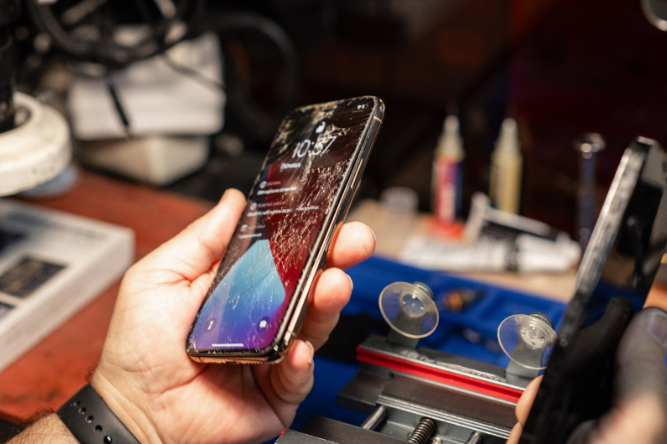
Can a Broken/Damaged iPhone Be Fixed?
Looking for an iPhone fix in Singapore? Depending on how damaged your phone is, a fix can address most underlying issues. This includes screen and battery placement, water damage, camera repair and more.
With that said, there are instances where damages go beyond repairs. Here’s a closer look at common iPhone repair issues and whether a fix will suffice:
- Cracked Screen
A cracked screen is one of the most common reasons people look for an iPhone fix in Singapore. This is due to impacts such as drops, causing the glass to shatter or fracture. Modern phone screens tend to break easily especially without a screen protector.Nonetheless, cracked screens can easily be fixed if the damages are purely external.Fixability (4.5/5): Easy fix—iPhone screen replacement can usually be done within an hour. However, damages that extend to the LCD or digitiser may take more time and money.
- Battery Problems
Common battery problems include unexpected shutdowns, overheating and decreased performance. This can be caused by old age, overcharging or exposure to heat. iPhones typically show a warning when your battery health drops below 80%.This is a good indication that you need an iPhone battery replacement.Fixability (4.5/5): A straightforward fix that can be done within an hour. Some batteries may be more expensive depending on the model—so consider buying a new phone if the cost of replacement is more than half the value of your current device.
- Water Damage
It is quite common for phones to experience water damage. Accidental drops, spills or exposure to rain can lead to internal issues. Although iPhones are “water-resistant”, they can only withstand limited exposure.Getting immediate attention is crucial when water enters your phone.Fixability (2.5/5): Tricky and depends on how soon the phone is brought in for repair. If corrosion has set in, full recovery might not be possible.
- Charging Port Issues
Charging port issues include slow charging time, loose connections, physical damage and overheating. Drops and forcefully inserting cables are common causes of damaged charging ports.Using cheap charging cables can also damage or even short-circuit the port over time.Fixability (4/5): An iPhone charging port fix is relatively simple. We can clean or replace the charging port without affecting your data or other components.
- Motherboard Issues
As the mother of all issues, motherboard problems can affect nearly every function of your iPhone. These problems usually stem from severe drops, water damage, overheating or DIY repair attempts gone wrong.Unlike hardware fixes, motherboard repairs involve intricate micro-soldering.Fixability (2/5): A complex and costly fix. Success depends on the extent of damage and model type. In some cases, a full replacement might be more practical than repair.
Preventive Measures

(Image Source: istockphoto.com)
Proactive care can prevent future mishaps or even the initial need for a fix. You can start by investing in a good screen protector and phone case. This will help break falls, ensuring your screen and phone doesn’t crack or suffer internal damage.
Additionally, avoiding overexposure to heat will keep your battery in better shape. Your battery will last longer and you don’t have to worry about sluggish battery life. Similarly, avoid exposing your phone to water as it can cause internal corrosion even if your phone is “water-resistant”.
Last but not least, remember to insert charging cables carefully to avoid damaging the port.
Why Choose Fixbot?

(Image Source: The Fixbot)
So why should you choose us over other service providers or even official centres? Here are reasons why our customers keep coming back:
- Quick Response: Time is money and we strive to provide quick responses. This includes quotes, queries or urgent repairs.
- Quality Parts: We use only the best parts, ensuring your iPhone comes out looking brand new. It also ensures lasting performance for years to come.
- One-Stop Solutions (iOS & Android): iPhone? Android? Not a problem. Our one-stop shop can fix all sorts of devices. This includes phones, tablets and computers.
- Free Pick-Up Service: Caught up with work? With our free pick-up and drop-off service, you don’t have to lift a finger—just book a slot and we’ll handle the rest.
- After Service (90 Days Warranty): You can have a peace of mind knowing that your fix is backed up by 90 days of warranty. Any issues can be addressed promptly without extra charge.
- Cheaper Than Official Centres: Opting for our service can be 20-30% cheaper than going to official Apple stores! You’ll be receiving quality repairs at a fraction of the cost.
Conclusion
While a damaged iPhone can usually be fixed, the question you should ask yourself is “should i get it fixed”. Some damages can be so costly that you’re probably better off getting a new phone. Nonetheless, don’t hesitate to bring your phone in for a diagnosis.
We’ll tell you how much your repairs will cost so you can make the best decision.
Contact us to find out more!

Is It Worth Fixing a Broken iPhone?
iPhones aren’t cheap. Many of us rely on them daily for work, for photos, for staying in touch. But when one breaks, the question hits: do you fix it or replace it?
This guide walks you through the cost, value, and real pros and cons. If you’re searching for an iPhone fix in Singapore, you’re in the right place.
Need an iPhone fix in Singapore? Reach out to Fixbot Singapore via WhatsApp, email, call, or our contact form for any enquiries!
iPhone Repairs: What Needs Fixing and What You’ll Pay
Before deciding if an iPhone fix is worth it, it helps to know what you’re dealing with and how much you might need to spend.
Assess the Damage
First things first, let’s start by figuring out what kind of damage your iPhone has.
- Start by identifying your iPhone’s damages to understand the extent and impact of the damage:
-
- Screen Damage: Cracks, shattered glass, unresponsive touch, flickering, or dead pixels.
- Battery Issues: Fast draining, unexpected shutdowns, phone overheating.
- Camera Problems: Blurry photos, camera app won’t open, black screen when switching to camera.
- Water Damage: Moisture under the screen, corrosion signs, strange behaviour (like random restarts).
- Motherboard or Internal Damage: Phone won’t turn on, random crashes, no sound, charging issues.
- Other Repairs: Charging port, buttons, speakers and microphone
- Determine whether the damage affects basic use or requires urgent, costly repairs.
-
- Minor Issues: Small cracks that don’t affect the screen’s visibility or touch, battery life slightly reduced but phone works well, camera lens scratches.
- Major Issues: Screen not displaying or responding, battery swollen or failing to hold charge, water damage causing random shutdowns, motherboard faults.
- Take note of which damages that are generally repairable and which could require more time or money.
-
- Screen Replacemen
Cracked or shattered screens are the most common repair and usually replaced quickly. If the digitizer (touch sensor) is damaged, replacement is needed to restore full function.
- Screen Replacemen
-
- Battery Replacement
Batteries degrade over time, causing fast drains or unexpected shutdowns. Replacing the battery is simple and often advised when capacity falls below 80%. For older models (iPhone 8 or earlier), consider the cost versus getting a new phone.
- Battery Replacement
-
- Camera Repair
Issues range from scratched lenses, which cleaning or lens replacement can fix, to faulty camera modules causing blurry images or crashes. More complex repairs require delicate parts replacement. Minor scratches usually don’t need urgent attention.
- Camera Repair
-
- Water Damage
Water can corrode internal parts unpredictably. Early professional cleaning may help, but success depends on exposure time and drying speed. Repairs are riskier and costlier; replacement might be better if multiple parts are affected.
- Water Damage
-
- Charging Port
If your phone struggles to charge, the port might be dirty or damaged and it’s often fixable by cleaning or replacement.
- Charging Port
-
- Buttons
Replacing buttons involves opening the phone and carefully working around fragile parts. It’s doable, but a bit more labour-intensive than a charging port.
- Buttons
-
- Speakers/Microphone
These can be swapped out if sound issues arise, generally a straightforward fix. However, costs vary depending on the model and part availability.\
- Speakers/Microphone

Repair Costs Breakdown
Get a rough idea of how much an iPhone fix might cost in Singapore. Prices can vary depending on your phone model, the repair shop, and whether original or third-party parts are used.
- Screen Replacement
-
- Estimated: $80 – $500
- Cheaper for older models, more costly for newer ones with OLED displays or Face ID.
- Battery Replacement
-
- Estimated: $50 – $150
- Older iPhones are generally cheaper to service. Prices increase with newer models.
- Camera Repair
-
- Estimated: $80 – $250
- Front cameras cost less. Rear and wide-angle lenses can be pricier, especially if the module needs replacing.
- Charging Port Repair
-
- Estimated: $60 – $180
- Depends on whether it’s a cleaning job or full port replacement.
- Water Damage
-
- Estimated: $100 – $400+
- Cost depends on the number of affected components. Some phones may need multiple parts replaced.
- Motherboard Repair
-
- Estimated: $150 – $600+
- This is one of the most expensive repairs. It often involves data recovery or deep diagnostics.

Repair or Replace? Here’s What Else to Factor In
Compare With Replacement Costs
Make a comparison and check how much it would cost to replace your iPhone instead. Look at prices for new, refurbished, or secondhand models of the same kind or consider upgrading.
Don’t forget to factor in the trade-in value of your current phone, even if it’s damaged. Sometimes, the cost of fixing an older device isn’t far off from getting a newer one with better features and longer support.
Consider the iPhone’s Age and Model
The age of your iPhone plays a big part in whether it’s worth fixing. Newer models like the iPhone 13, 14, or 15 are usually worth repairing. Their parts are easier to find, and you’re likely to keep using the phone for a few more years.
But if you’re holding onto an older model, say an iPhone 8 or earlier, the repair cost might not make as much sense. Apple gradually stops software updates for older models, which means limited features and potential security risks down the line.
Before deciding, check how long your iPhone will continue to receive updates and support. If it’s nearing the end, it might be time to consider an upgrade instead.
What Makes a Fix Worth It And When It Isn’t
A repair makes sense when the issue is minor, like a cracked screen, battery wear, or a loose charging port, and the rest of your phone still works fine.
If you’re using a newer model, the cost of fixing it is usually much lower than buying a new one, and you get to keep your data, settings, and familiar setup. It’s also a good option if you’re on a budget or just not ready to upgrade yet.
But when repair costs climb to nearly half the price of a new phone, or if your iPhone is outdated, slow, or unsupported, an iPhone replacement might be the smarter move.
This is especially true if multiple parts are damaged or the phone’s performance is already lagging. In that case, putting money towards a newer model gives you longer-lasting value, better features, and fewer issues in the long run.
Conclusion
Fixing or replacing your iPhone doesn’t have to be a guessing game. Think about the cost, how well your phone’s holding up, and how long you plan to stick with it. If a simple repair keeps it going strong, great. If it’s time for an upgrade, that’s alright too. There’s no one-size-fits-all answer, but now you’ve got a clearer picture to guide your choice.
Need an iPhone fix in Singapore? Reach out to Fixbot Singapore via WhatsApp, email, call, or our contact form for any enquiries!

Apple’s iPhone 17 Series: What’s New And What’s Raising Eyebrows
The long-awaited iPhone 17 series was finally released on September 19, 2025, and it features a brand-new look with upgraded features. This lineup consists of the iPhone 17, iPhone 17 Pro, iPhone 17 Pro Max, and a fresh iPhone Air. This time around, Apple is focused on improving the overall performance and user experience with the new A19 chipset. This is undoubtedly an exciting update, but early adopters have reported a few issues that may influence purchase decisions.
What’s New on the iPhone 17 Series

(Source: CNET)
- Powerful A19 and A19 Pro chip
The all-new A19 chip (used in iPhone 17) and A19 Pro chip (used in iPhone 17 Air, iPhone 17 Pro, and iPhone 17 Pro Max) are the most powerful iPhone processors right now, with a 6-core CPU, 6-core GPU with Neural Accelerators (5-core on the iPhone 17 and iPhone 17 Air). This chipset enhances overall performance while improving Apple Intelligence for enhanced on-device processing. - Upgraded camera
The iPhone 17 series camera upgrade features an 18MP Center Stage front camera on all models, enabling the capture of more faces in a selfie. Additionally, Pro models include 8× optical zoom and ProRes RAW, providing more flexibility during post-production for capturing high-quality raw videos. - Bigger, better, and more durable screen
The iPhone 17 was given a 6.3-inch display and a 120Hz refresh rate, a feature that’s previously been available on Pro models only. Meanwhile, the iPhone 17 Air also features a 6.5-inch screen for those who want a bigger screen on a slimmer phone.
Additionally, Ceramic Shield 2 has been introduced in the iPhone 17 series to enhance the durability of the front and back of the new iPhones, as it is 3× more scratch-resistant than its predecessor. - Larger storage capabilities
The new iPhone 17 series now starts at 256GB of storage across all models. Of course, bigger storage configurations are also available, like 512GB, 1TB, and 2TB (for iPhone 17 Pro Max). - iOS 26 update
All models in the iPhone 17 series come pre-installed with the new iOS 26. This version features a redesign called “Liquid Glass,” an image search tool called “Visual Intelligence,” customised chat wallpapers and polls in Messages, live translation in Messages, FaceTime, and even the Phone app, and many more!
Here are some more iOS features you might not know. - Improved battery life
Below are the battery specifications of the latest iPhone models:
iPhone 17: Li-Ion 3692 mAh, up to 30 hours of video playback
iPhone 17 Pro: Li-Ion 3998 mAh (nano SIM model) or Li-Ion 4252 mAh (eSIM model), up to 31 hours of video playback
iPhone 17 Pro Max: Li-Ion 4823 mAh (nano SIM model) or Li-Ion 5088 mAh (eSIM model), up to 37 hours of video playback
iPhone Air: Li-Ion 3149 mAh, up to 27 hours of playback time
Reported Issues and Concerns
- “Scratchgate” scandal
People who have gone to the physical Apple Store have seen the latest iPhone demo units with scratches, thus leading to concerns over the durability of the new iPhone material. - Connectivity issues
Users on Reddit have voiced their frustrations about their brand-new iPhones not connecting to Wi-Fi or CarPlay. Some have stated that the iPhone would connect and then disconnect after a few minutes. - Inconsistent battery performance
Some Reddit users have also experienced a battery drainage problem, usually in the first three weeks of using the new iPhones. However, many other Redditors shared that they have never experienced such a thing, thus leading to the conclusion that the latest iPhones have inconsistent battery performance. - Perceived downgrade of material
Apple’s decision to switch from titanium to aluminium for the body of the iPhone 17 Pro and Pro Max models has caused a stir among users. Many are concerned about its ability to handle dents and scuffs, with some Redditors uploading images of their new iPhones with scratches after a few weeks of use.
Apple’s Response

(Source: Freepik)
- “Scratchgate” was identified as an issue with the display stands, where old MagSafe chargers are used. The ‘scratches’ weren’t scratches after all — just stains. This issue was fixed by changing the display stands and wiping the backs of the demo units.
- After hearing about the connectivity issues on the iPhone 17 series, Apple released a patch for iOS 26. This quickly fixed this problem, as reported by users on Reddit.
- The increased battery drain in the first three weeks was caused by spotlight indexing of files and the photo library. Apple stated that this process would usually take 3-5 days, but some users have reported that battery performance only improved after the third week. It is advised to visit your nearest Apple Store for support if the issue persists.Learn how to take care of your iPhone’s battery here.
- A few justifications as to why Apple shifted from titanium to aluminium are:
– To reduce waste as it is cheaper and faster to produce
– To improve heat reduction because it can transfer heat better than titanium
– To enhance aesthetics due to it being lighter and less prone to wear and tear compared to titanium.
In any case, having a protective phone case is crucial to ensure your phone stays safe no matter where you go.
So, Should You Upgrade?
If battery life, camera performance, and ecosystem continuity are important factors for you, then upgrading to the latest iPhone might not be a bad idea.
If you are concerned about how the latest software update will pan out, or just want something more, perhaps you can consider other options or wait and see other users’ reviews of the iOS 26.
Conclusion
Even with the early setbacks, Apple remains optimistic about resolving these software issues with its constant patches. While it is clear that the iPhone 17 series is a powerful one, it is clear that the perception of “premium smartphones” has changed drastically over the years.

Screen Flickering on Your Laptop/Phone? Here’s What You Should Check
If your laptop or phone screen is flickering, it usually comes down to two main causes: software glitches (like outdated apps, drivers, or settings) or hardware issues (like a loose display cable, faulty battery, or damaged screen).
Minor problems can often be fixed by updating your software or adjusting settings, but if the flickering continues, it may require professional repair or screen replacement.
What Causes Screen Flickering?
Software issues – Outdated apps, corrupted files, or system bugs.
Display drivers – On laptops, old or faulty graphics drivers are a common cause.
Loose or damaged connections – Especially in laptops where the screen cable wears out.
Faulty screen panel – Aging or damaged LCD/OLED displays.
Power or battery problems – Unstable voltage from chargers or batteries.
Physical damage – Drops, water damage, or pressure on the screen.
Things To Try When Your Screen Is Flickering?
For Laptops
- Update graphics drivers.
- Restart in Safe Mode to check for conflicting apps.
- Adjust refresh rate in display settings.
- Test with an external monitor to isolate the issue.
For Phones
- Restart the device.
- Install the latest software update.
- Boot into Safe Mode (Android) to rule out app conflicts.
- Turn off auto-brightness.
When to See a Professional Repair Shop in Singapore
You should bring your device for repair if:
- Flickering continues after software fixes.
- Lines, flashing patches, or distorted visuals appear.
- Flickering worsens when you move or press the screen.
- The device overheats along with display issues.
“If lowering your screen’s refresh rate seems to stop the flickering, it’s a sign there may be an underlying hardware issue. A professional inspection is recommended to find out why your screen only works properly at lower refresh rates.”
What Can TheFixBot Do for You?
At TheFixBot, we specialise in solving all kinds of phone, tablet, and laptop problems. If your device is acting up, here’s how we can help :
Screen Flickering Repair – Dedicated repairs for phones, tablets, and computers that suffer from unstable displays.
Screen Replacement – Fast and reliable screen swaps if the display is cracked, damaged, or beyond repair.
Battery Replacement – If your device can’t hold charge or drains too quickly, we’ll replace it with a fresh battery.
Water Damage Repairs – From accidental spills to full submersion, our experts can revive water-damaged devices.
Motherboard Repairs – For deeper hardware issues causing glitches or system failures.
Boot Up Issue Repair – Fixing devices that refuse to start or keep looping on the boot screen.
Speaker Replacement – Restoring clear sound by repairing or replacing broken speakers.
Keyboard Replacement – For laptops with stuck, unresponsive, or faulty keys.
What to take from this?
Screen flickering on your laptop or phone usually happens because of software glitches, outdated drivers, loose connections, or hardware damage.
In many cases, simple fixes like updating drivers, adjusting display settings, or restarting your device can solve the problem.
However, if the flickering keeps coming back, it may point to a deeper hardware issue such as a faulty screen or motherboard.
Whether it’s a simple part replacement or a complex repair, visit our repair store! We ensure fast service, quality parts, and professional workmanship you can rely on in Singapore.
Frequently Asked Questions (FAQ)
Is screen flickering dangerous for my device?
Screen flickering itself won’t usually damage your device further, but it’s often a sign of an underlying problem such as a failing screen, loose cable, or power issue.
If left unchecked, it may get worse or lead to complete screen failure.
Can I fix screen flickering at home?
Yes, some cases can be solved at home by updating drivers, restarting in Safe Mode, or adjusting display settings.
However, if the flickering continues, it’s best to have a technician inspect your device.

Best Tips & Tricks to Protect Your Phone
Replacing a damaged phone can cost hundreds. Fixing one isn’t cheap either. Most damage comes from small habits that wear them down and when an accident happens, they can’t take it.
Hence, phone protection matters a great deal because it prevents damage before it starts. This guide walks you through lesser-known ways to keep your phone safe and working longer.
Need a phone repair service in Singapore? Reach out to Fixbot Singapore via WhatsApp, email, call, or our contact form for any enquiries!

(Source: Envato)
Phone Protection Habits That Help You Avoid Repairs
Most people only think about phone protection after something goes wrong. But small habits can prevent damage before it ever happens. Here are some tips and tricks to get your phone last longer:
- Tip #1. Never Use Your Phone While Charging If the Cable or Port Is Loose
Using the phone while it charges puts pressure on the connector. If the cable shifts even slightly, it scrapes the port or bends the pins.
Over time, this causes charging issues or worse, a broken motherboard. Repair shops often see burnt or damaged charging ports caused by this exact habit.
- Tip #2. Keep Phones Away from Metal Surfaces While Charging
Charging on metal tables or beds increases heat buildup. Metal reflects heat back into the device, which can cause batteries to swell or degrade faster.
Most users don’t realise heat-related battery wear is preventable with better placement.
- Tip #3. Avoid Fast Chargers That Aren’t Calibrated to Your Phone Brand
Not all fast chargers are built the same. Some third-party chargers push too much power too quickly. That overload fries internal components or warps the battery.
Stick to original or certified chargers that match your phone’s voltage specs.
- Tip #4. Dust Kills Charging Ports
Pockets, bags, and tables are full of dust. Over time, it builds up inside charging ports, making cables loose or unusable.
Most users blame the cable when it’s the port that’s clogged. Use silicone port plugs, or clean gently with a soft toothbrush. Never use sharp tools.
- Tip #5. Don’t Sleep with Your Phone Under Your Pillow or on Soft Bedsheets
Phones release heat as they charge. Soft materials trap that heat, which leads to overheating. This weakens the battery and may even damage the internal board.
Always charge on hard, flat surfaces with airflow. Overheating is silent but destructive.
- Tip #6. Place Your Phone Upright When Not in Use
Flat phones attract heat from surfaces, especially in hot climates. Placing them upright or on a stand allows heat to dissipate.
This reduces long-term heat stress on the battery. It’s a subtle habit, but it adds years to your phone’s internal health.
- Tip #7. Don’t Charge Your Phone in the Car Without a Voltage Regulator
Car power outlets aren’t stable. They spike when you start or stop the engine, which can fry charging circuits if your phone is plugged in.
Use a charger with built-in surge protection. Or unplug before turning the engine on or off.
- Tip #8. Stop Overcharging
Leaving your phone on charge overnight, every night, overworks the battery. Some phones have a built-in charging limit setting. Others don’t.
You can use a smart plug with a timer to cut off power after two hours. Overcharging leads to battery swelling, one of the common issues in older devices.
Your phone goes through bending, pressure, and body heat all at once when it sits in a tight jeans pocket. Tight pockets can flex the phone frame over time, especially for larger devices.
Screens lift, frames warp, and internal components loosen. Many phones with screen separation or ghost touch issues come from pocket pressure, not drops.
- Tip #10. Turn Off Your Phone Once a Week
Always-on phones don’t get a break. Turning it off clears temporary heat, rests the processor, and lets the battery recalibrate. Even a short power-down helps maintain long-term battery stability and reduces wear.
- Tip #11. Avoid Using a Phone with Wet Hands or in Humid Environments
Moisture doesn’t need to be visible to enter ports or seams. Even if your phone is water-resistant, repeated exposure corrodes internal parts, especially the charging IC.
Water damage is sneaky. And corrosion shows up weeks later, often after the warranty expires.
- Tip #12. Don’t Stack Your Phone Under Laptops or Power Banks
Stacking heavy or hot devices on your phone traps heat and applies pressure to the screen and battery. This causes warping or backlight bleeding.
Keep your phone separate in your bag or on the desk to avoid pressure and heat stacking.
Final Thoughts
Most hardware damage builds up through habits most users don’t think twice about until the phone stops working. If you want good phone protection, start by breaking the habits that wear it down. These small changes cost nothing but save you from repairs later.
For anything beyond prevention, bring your phone in at Fixbot Singapore for a proper check. Catching damage early always costs less than fixing it late.
Need a phone repair service in Singapore? Reach out to Fixbot Singapore via WhatsApp, email, call, or our contact form for any enquiries!

iphone not charging? Common Apple Repair Issues and How to Fix Them
Your Iphone not charging correctly can cause major frustration for you, especially when you’re relying on it for work, communication, or just daily life.
If your iPhone suddenly stops charging, you’re not alone. Charging issues are among the most common problems iPhone users face, and they can stem from various causes, ranging from simple dirt in the charging port to complex hardware failures.
In this article, we’ll explore:
- The most common reasons why your iPhone isn’t charging
- Step-by-step troubleshooting you can try at home
- When it’s time to visit a repair technician
- How to prevent future charging problems
Common Reasons Why Your iPhone Won’t Charge
The reason for your iPhone to not be able to charge can vary. However, based on our experience with phone repairs, here’s the most likely cause:
1. Dirty or Blocked Charging Port
Debris that’s been collected in your charging port may result in blockage between your cable and the port
2. Faulty Lightning Cable or Charger
Cables fray, break, or stop working due to wear and tear. Knock-off chargers may also not be compatible with iPhones.
3. Software Glitch
Sometimes, the phone may fail to charge due to a temporary software issue. This can happen after an update or app crash.
4. Battery Degradation
If your iPhone battery health is below 80%, it may struggle to accept or retain a charge.
5. Damaged Charging Port or Motherboard
Physical damage or water exposure can break the internal charging mechanism or logic board components.
6. iOS Issues
After an iOS update, bugs or compatibility issues can interfere with normal charging behavior.
These are just some of the more common reasons why your iPhone may not charge. If none of the issues listed applies to your phone, feel free to contact us!
DIY Troubleshooting Steps
Once you’ve figured out what’s causing your iPhone not to charge, you might want to have a go at fixing it yourself.
These solutions are relatively simple to carry out and won’t cause any damage to your phone. You could save yourself some time and money if you’re able to fix the issue on your own.
Before you head to a repair shop to fix your iPhone, try troubleshooting the problem with these steps:
✅ Inspect the Charging Cable and Adapter
- Use an Apple-certified cable.
- Test the cable on another device.
- Switch wall adapters or try charging via a computer USB port.
✅ Clean the Charging Port
- Use a flashlight to inspect the port.
- Remove the lint or dust by carefully using a soft brush. Avoid using metal tools to prevent scratching.
- Blow compressed air carefully into the port.
✅ Force Restart Your iPhone
- iPhone 8 or newer: Quickly press and release Volume Up > Volume Down, then press and hold the Side button. The moment the Apple logo pops up is when you should stop holding it down
- Older models: Press Home + Power buttons until the Apple logo pops up
✅ Check for iOS Updates
- Head for the Settings icon. The Software Update should be available within the General section
- Install any available updates
✅ Reset All Settings
- Look for the Settings icon. Search for Transfer or Reset iPhone, it should be in General. Tap Reset, and then Reset All Settings.
Doing so won’t delete your data, but it will reset saved preferences like Wi-Fi passwords and wallpapers
When to See a Professional
If you’ve tried all the possible fixes and none of them worked, it may be best to consult a certified repair technician to diagnose the problem.
Here’s when you should consider doing so:
- The iPhone only charges at certain angles
- Your device heats up while charging
- Battery drains too quickly even after charging
- There are visible signs of water damage or corrosion
- The phone doesn’t recognize any cable or charger
Need a certified repair technician to look at your iPhone? Reach out to us now!
What to Expect at a Repair Shop
Before setting out to fix your iPhone, it’s a good idea to research the cost of repair services and compare your options.
Most Apple-certified or reputable third-party repair centres will typically:
- Diagnose your device with diagnostic tools
- Inspect the battery health and charging circuit
- Offer battery or charging port replacement if needed
- Test all functions after repair
Need help finding a reasonably priced repair shop? Contact us!
How to Prevent Future Charging Problems
Once you’ve repaired your iPhone, you’ll want to avoid breaking it again. In many cases, charging issues happen due to misuse or unnecessary wear and tear.
Below is a helpful tip to prevent the same problem from happening again:
- Make sure to use MFi-certified (Made for iPhone) cables and adapters
- Try not to charge your phone on soft surfaces, as they can trap heat
- Clean the charging port regularly
- Don’t force the cable in if it feels loose or blocked
- Avoid using your iPhone while charging (especially when gaming or streaming)
Conclusion
If your iPhone isn’t charging, don’t panic. From dirty ports to battery issues, most causes are either fixable at home or through an affordable repair service. Try the DIY tips first—if the issue persists, a quick visit to a professional can save you considerable time and effort.
Need professional help? Reach out to our Apple repair experts today for a free diagnostic!

Is It Worth Getting Your Phone Screen Repaired?
Phone screens crack all the time. Depending on the extent of the crack, your phone could be functioning anywhere from good to bad. So what do you do then? Is it worth getting a screen repair? Or do you leave it as it is?
How Bad Is the Damage?

A crack will not render your phone useless. Most phones can still function well, but some may not. That’s why it’s important to assess the damage of your screen when considering a repair. Tiny cracks are more of an aesthetic problem than a functional one.
You can choose to ignore this, but cracks across the display might be a bit more problematic. This can interfere with touch sensitivity and visibility, making it harder to use your phone.
A shattered screen is the worst of the lot, as this can lead to glass shards, touchscreen failure and internal damage.
Reasons to Get Your Screen Repaired

Your Touchescreen May Stop Working: A cracked screen may seem harmless at first. Nonetheless, a simple crack can get worse over time, affecting your touch response. Your screen will become unresponsive or inaccurate, making simple tasks frustrating.
The damage can even spread, causing your entire screen to stop working.
It Can Get Worse Over Time: A small crack can expand due to pressure, drops, or even temperature changes. Your screen has the potential to shatter at any given time, so getting an early fix is never a bad idea.
This also prevents bigger and costlier problems down the line.
Protection Against Internal Damage: The screen is your phone’s first line of defence. A cracked screen exposes the inner components to dust, moisture and debris. This can lead to deeper issues, including display malfunctions and even motherboard damage.
Maintain Resale Value: A phone in good condition has a higher resale value. A cracked screen can significantly lower its resale price, making it harder to sell or trade-in. Investing in a screen repair ensures your phone stays in top shape for potential resale.
Improved Aesthetic and User Experience: A cracked screen is an eyesore. It can make watching videos, reading texts or gaming less enjoyable. A clean, smooth screen not only looks better but also enhances usability.
Your Phone Is Still Under Warranty: If your phone is still under warranty, repairing the screen at an authorised service centre may be free or at a lower cost. However, leaving a crack unattended could void your warranty if internal damage occurs.
Always check your warranty terms before deciding.
When Can You Hold Off a Repair?
There are some instances where you can hold off a repair. This means the crack isn’t severe enough to affect functionality. If your phone works fine and the crack is minor, you might be able to wait.
Using a screen protector can help prevent further damage. A good case will also provide extra protection and stop the crack from spreading. If you plan to upgrade soon, you might skip the repair altogether.
However, if you notice worsening cracks, touchscreen glitches, or display issues, don’t wait too long. The longer you leave it, the more expensive it could be to fix.
Should You Repair or Replace?
The decision depends on the cost of repair versus replacement. If fixing costs as much as getting a new phone, then a newer phone would be the better choice. However, if your phone is new and still in good shape, opt for a screen repair instead.
It saves you money and extends your phone’s lifespan.
Phone Care Tips

Use a Screen Protector: A screen protector is the first line of defense to your first line of defense. A tempered glass protector can absorb impact and prevent cracks from spreading. Initially, many people mistake cracks for actual screen damage.
In reality, the protector often takes most of the damage—showcasing how important it is.
Get a Sturdy Phone Case: Heavy-duty phone cases exist for a reason. While they may not be as sleek or light as slimmer cases, they offer superior protection. Shockproof cases absorb impact, reducing the chances of screen damage during accidental drops.
Don’t Misplace Your Phone: Avoid misplacing your phone in risky spots. Back pockets, edges and high areas can all put your phone at risk of falling. Keeping your phone in the right places can greatly reduce the chances of this happening.
Handle Your Phone With Care: A little extra caution goes a long way. People become careless when they get comfortable with their phones. That’s why it’s important to use both hands when texting or browsing, and don’t toss your phone around.
Final Thoughts
With all things considered, getting a phone screen repair is worth it in most cases. People get screen repairs to prevent further damage, retain sale value, maintain optimal condition or to put their warranty to use.
In some cases, cracks can be so minor or repairs can be so expensive, that you’re better off waiting or upgrading to a new phone. All in all, familiarising yourself with “when to” and “when not to” repair your screen can save you a buck or two down the road.
Need help fixing your phone screen? Contact us to find out more!

Can You Trust Phone Repair Shops
Is It Safe to Send Your Phone for Repair?
Handing over your phone for repair might fix a cracked screen—but could it also crack open your personal data?
Many of us have had to take our phones to a repair shop at some point, whether due to a broken screen, battery issues, or other technical problems.
But while we focus on getting our devices fixed, we often overlook a crucial aspect: the security of our personal information.
Smartphones have become an essential part of our daily lives. We use them for communication, banking, social media, and even work, making them a digital vault of personal information.
With so much valuable data stored on our devices, smartphone security is more important than ever.
A security breach on your phone can expose your financial information, increase the risk of identity theft, and even corrupt your personal files.
While Android and Apple devices come with built-in security features, they may not be enough to fully protect your data—especially when handing over your phone for repairs.
This raises a critical question: Are phone repair shops truly safe, or could they be spying on your data?
A recent CNA Insider Documentary titled “Are Phone (And Laptop) Repair Shops Spying On You?” investigates the risks associated with repair shops, uncovering cases where personal data was accessed or even stolen.
In this article, we will be answering some of the key questions raised in the documentary, providing insights on how to protect your data, and helping you choose a trusted repair service.
Why is it Important to Erase our Phone’s Data before Repair?
Most people don’t bother erasing their data before sending their phones for repair. Some are simply too lazy, while others assume it’s not that important.
Many people also trust the repair shop, believing that technicians wouldn’t snoop through their personal files. However, this mindset can be extremely dangerous.
When you hand over your phone without wiping your data, you’re essentially giving a stranger access to your photos, messages, banking details, passwords, and even private documents.
Even if the repair shop seems reputable, there have been cases where technicians secretly accessed, copied, or even leaked personal data.
Some may install spyware or malware, allowing them to continue monitoring your phone even after the repair is done

Image Source: freepik.com
Data Theft
Unethical repair technicians may secretly access, copy, or extract sensitive data, including saved passwords, financial details, and private conversations.
This stolen information can be misused for identity theft, fraud, or even blackmail.
If your phone contains important personal or work-related data, handing it over without precautions could put you at serious risk.
Component Swapping
Some repair shops replace original components with cheap, low-quality alternatives to cut costs or make extra profit.
These counterfeit parts can cause overheating, battery drain, touchscreen malfunctions, or long-term hardware failure.
Choosing an unauthorized repair shop without verifying the quality of replacement parts can significantly shorten your device’s lifespan.
Privacy Breach
There have been cases where repair technicians access, view, or even leak customers’ private photos, videos, and messages.
A single careless mistake—such as leaving your accounts logged in—can compromise your privacy and personal security. If you don’t take precautions, your sensitive data could end up in the wrong hands
Physical Damage Risks
Inexperienced technicians, improper tools, or rushed repairs can lead to further damage instead of fixing the original problem.
Common issues include loose internal components, scratched screens, damaged ports, or even a completely unusable device. Choosing a trusted and experienced repair shop is crucial to avoid costly mistakes.
How to Protect Your Data Before Repair
If you must send your phone for repair, follow these steps to minimize risks:
- Back Up Your Data: Before handing over your phone for repair, it’s crucial to back up all important data to prevent permanent loss.
You can use cloud storage services like Google Drive, iCloud, or OneDrive to store photos, videos, and documents. If you prefer offline storage, transferring files to an external hard drive, USB flash drive, or computer ensures you still have access to your data even if something goes wrong during the repair process.
- Log Out of Accounts: Many apps on your phone, including social media, email, banking, and cloud storage apps, store sensitive personal information.
Before sending your device for repair, log out of all accounts to prevent unauthorized access. Start by signing out of critical apps like Gmail, WhatsApp, Facebook, and banking apps.
- Factory Reset (If Possible): If your phone is still functional, performing a factory reset is one of the best ways to protect your personal data.
A factory reset erases all stored data, including photos, messages, apps, and settings, restoring the device to its original state.
- Remove SIM and SD Cards: Your SIM card and SD card store personal information, including contacts, text messages, and multimedia files. Removing these cards before repair prevents the risk of data theft or unauthorized use.
SIM cards can also be used for identity verification, so keeping them with you eliminates any chances of misuse.
- Record IMEI and Device Details: The IMEI (International Mobile Equipment Identity) number is a unique identifier assigned to every mobile phone.
Before sending your phone for repair, note down its IMEI number, serial number, and other identifying details. This information can be useful if your phone gets lost, swapped, or stolen during the repair process.

Image Source: freepik.com
When personal data is stolen, the consequences can range from minor inconveniences to life-altering damage. Below, we’ve ranked these risks from bad to worst, showing how even a small privacy breach can escalate into serious cyber threats.
Mild Invasion of Privacy
- Hackers or unethical repair technicians may browse through personal files, including photos, messages, and emails.
- Your personal conversations or harmless data may be viewed but not misused.
Targeted Ads & Spam
- Stolen data, such as email addresses and phone numbers, may be sold to advertisers or spammers.
- You may start receiving unwanted emails, robocalls, and phishing messages.
Unauthorized Account Access
- If passwords are exposed, hackers may log into your social media or email accounts.
- Your accounts could be used for scams, fake promotions, or phishing attacks targeting your contacts.
Identity Theft & Fake Profiles
- Stolen personal details, such as your name, address, and ID numbers, can be used to create fake profiles.
- Fraudsters may impersonate you to scam others or even apply for loans and credit cards under your name.
Bank Fraud & Financial Theft
- If hackers access your banking details, they may make unauthorized transactions.
- Cybercriminals may use your credentials for online purchases, money laundering, or draining your accounts.
Blackmail & Extortion
- Private data, such as sensitive photos, conversations, or confidential files, may be used for blackmail.
- Hackers may demand money in exchange for keeping your data private.
Dark Web Sales & Criminal Activity
- Your stolen data may be sold on the dark web to cybercriminals.
- It could be used in large-scale fraud schemes, cybercrimes, or even identity trafficking.
Legal & Life-Altering Consequences
- If hackers misuse your identity for illegal activities, you could face legal trouble or reputation damage.
Victims of severe identity theft may spend years trying to recover their financial and personal security.
How to Choose a Repair Service
When choosing a repair service, it’s important to ensure that your phone is in the hands of qualified technicians with proper certifications and credentials.
Certified professionals are more likely to follow security protocols and use genuine parts, reducing the risk of further damage or data breaches.
Before selecting a repair shop, take the time to research customer reviews and testimonials to gauge the experiences of past clients.
A reputable repair service should also offer a warranty on repairs and replacement parts, giving you peace of mind in case any issues arise after the repair.
Additionally, consider whether you prefer an in-person repair service or a mail-in option.
In-person repairs allow you to oversee the process and ensure your device is handled properly, while mail-in services can be convenient but may carry additional risks, such as delays, loss, or further damage during shipping.
How Can You Tell If a Repair Shop Has Accessed Your Private Information?

Image Source: freepik.com
If a repair shop has accessed your private data, there are several red flags to watch out for.
One of the most obvious signs is unusual activity on your device, such as opened apps, missing or moved files, or deleted messages.
If you receive unexpected login attempts, password reset emails, or suspicious notifications after the repair, it could mean someone tried accessing your accounts.
Additionally, a sudden increase in spam emails, phishing messages, or scam calls may indicate that your contact details were stolen and sold to third parties.
To check for unauthorized access, review your recently used apps, browsing history, and device activity logs for any suspicious actions.
If apps like your gallery, messaging, or banking apps show recent activity you didn’t initiate, someone may have snooped through your phone.
To protect yourself, always log out of accounts, enable privacy features like Maintenance Mode( for Samsung devices) or Lockdown Mode, remove SIM and SD cards, and back up your data before sending your phone for repair.
If you suspect unauthorized access, change all your passwords immediately and enable two-factor authentication (2FA) for added security.
Can You Report a Repair Shop for Snooping?
Yes, if you suspect a repair shop has accessed your private data without permission, you can take action. Here’s what you can do:
- Gather Evidence – Check for unusual activity on your phone, such as opened apps, missing files, or unauthorized logins. Take screenshots or document any suspicious changes.
- Check Store Policies & Agreements – Review any terms you agreed to before the repair. Some repair shops have privacy policies, and violating them could strengthen your case.
- Contact the Repair Shop – Raise your concerns with the shop directly. Some reputable shops may offer an explanation or resolution. If they deny wrongdoing and you have evidence, proceed with a formal complaint.
- Report to Consumer Protection Agencies – File a complaint with organizations like the Consumer Protection Agency in your country. In Singapore, you can report privacy violations to the Personal Data Protection Commission (PDPC) under the Personal Data Protection Act (PDPA) 2012.
- Legal Consequences in Singapore – If a repair shop snoops on your data without permission, they may be violating Singapore’s Personal Data Protection Act (PDPA) 2012, which requires businesses to protect personal data from unauthorized access. They could also be charged under the Computer Misuse Act 1993, which criminalizes unauthorized access to computer material. Offenders may face fines, imprisonment, or both.
- Report to Law Enforcement – If your data has been stolen or misused, file a report with the police. Unlawful access to your phone can be a criminal offense under Singapore’s Computer Misuse Act.
- Warn Others – Leave reviews on platforms like Google, Facebook, or Trustpilot to alert future customers about unethical practices at the repair shop.
Why Fixbot is a Reliable Choice

Image Source: freepik.com
When it comes to repairing your devices, trust and expertise matter.
Fixbot stands out as a reliable choice for phone and device repairs, offering certified technicians, genuine parts, and transparent communication.
Here’s why Fixbot is a trusted name in the repair industry:
Certified Technicians: Expertise Across Brands
Fixbot’s team of certified technicians specializes in repairing a wide range of devices, including iPhones, Android phones, and other popular brands.
Recognized as a leader in Apple post-warranty repairs in Singapore, Fixbot handles iMacs, iPhones, iPads, Mac Pros, MacBooks, MacBook Airs, and MacBook Pros. Their mission is simple yet impactful: “FixBot: Bring your phone back to life.”
We supports a diverse range of brands, ensuring that customers with different device preferences can find the help they need. Whether you own an Apple device, a Samsung smartphone, or a laptop from brands like Lenovo or Asus, Fixbot has the expertise to handle it.
Brands Supported:
- Apple
- Samsung
- Oppo
- Huawei
- Xiaomi
- OnePlus
- Vivo
- Asus ROG
- Lenovo
- Acer
- Asus
- Razer
Comprehensive Repair Services
Fixbot offers a wide range of repair services to address common device issues. Whether it’s a cracked screen, water damage, or a malfunctioning battery, we have the tools and expertise to get your device back in working order.
Here’s a closer look at some of our key services:

Image Source: freepik.com
- Battery Replacement
Is your phone running out of battery faster than usual?
That is the usual sign that your battery needs to be changed.
- Screen Replacement
We are here to help with replacing your broken screen.
With our help, we can get your screen replaced fast & easy.
- Water Damage Repairs
Did water damaged your device?
Do not worry, our expert are able to repair devices that suffered water damage.
- Motherboard Repairs
Is your phone glitching out or outright would not function properly.
Here we offer professional repairs on your device’s motherboard.
- Boot Up Issue Repair
Does your phone stop booting up properly?
Let us take a look at it. We promise to get your phone working like normal.
- Screen Flickering Repair
Often time old devices suffer screen flickering issues.
Visit our shop! We offer screen flickering repair for phones, tablets and computers.
- Speaker Replacement
Suffering from a broken speaker?
Do not worry, here at fixbot we offer speaker repair and replacement to get your phone sounding like new.
- Keyboard Replacement
Laptops often suffer from keyboard keys malfunction.
Bring your laptop here at fixbot. We offer a way to replace the keyboard on your laptop.
Need More Info? Head to Our Website!
Fixbot takes customer privacy seriously.
Our company has strict protocols in place to secure customer data during repairs, ensuring that your personal information remains safe.
Staff are regularly trained on the importance of client privacy, and any violation of these protocols results in warnings or termination.
This commitment to privacy gives our customers peace of mind, knowing their data is in safe hands.
High Quality Parts for Long-Lasting Performance
Fixbot uses only high-quality replacement parts to ensure your device performs like new.
Whether it’s an original iPhone battery replacement or third-party repairs for cracked screens and motherboards, Fixbot delivers lasting results.
For Android devices like Samsung, Huawei, and Oppo, we provides similar services, including original battery replacements and comprehensive repairs for damaged smartphones.
Why Do High Quality Parts Matter?
- Ensures device longevity and performance.
- Reduces the risk of future issues.
- Provides a seamless user experience.
Fast Turnaround Times
Fixbot prioritizes efficiency to minimize downtime for customers. Many repairs, such as MacBook screen replacements and iPhone battery replacements, are completed within a few hours or the same day.
This quick service ensures that customers can get back to using their devices as soon as possible, reducing inconvenience and disruption.
Transparent Communication
We keep customers informed at every step of the repair process. These are the process:
Step 1: Contact Fixbot via online inquiry or WhatsApp.
Step 2: Book an appointment or schedule a pickup.
Step 3: Diagnostics are performed, and a detailed quotation is provided.
Step 4: Accept the quotation, and repairs begin.
Step 5: Repairs are completed, and arrangements are made for collection.
Your Data’s Safety is Our Priority
At Fixbot, we get it—your data is precious. Whether it’s business secrets or personal info, we’re here to make sure it stays safe, no matter what.
Here’s how we protect your data every step of the way:
We Keep Your Data Safe
- Secure Repairs: From the moment we take your device, we treat your data like it’s our own. For devices beyond repair, we use top-notch data destruction methods to ensure nothing can be recovered.
- We Follow the Rules: We stick to all data protection and environmental regulations, so you know we’re doing things the right way.
- We Care for the Planet: When it’s time to dispose of old equipment, we do it responsibly, keeping the environment in mind.
Our repair centers are built with security in mind. Think 24/7 surveillance, restricted access, and secure storage. Unauthorized access? Not on our watch.
Our Technicians are Privacy Pros
Our team isn’t just great at fixing devices—they’re trained to handle your data with care. We make sure they’re always up-to-date on the latest privacy practices, so your info stays confidential.
Every business is different, and we love that. That’s why we tailor our services to fit your needs. Whether it’s an Account Manager for personalized support, On-site Technicians for hands-on help, or Backend Specialists for the tricky stuff, we’ve got you covered.
We don’t just fix devices, we protect what matters most to you. With top-tier security, a skilled team, and a focus on privacy, your data is in the safest hands with us.
Let’s keep your devices and your data safe together.
Affordable Repairs: Quality Without the High Cost
At Fixbot, we believe everyone deserves access to reliable and high-quality repairs without breaking the bank.
Our pricing is transparent and competitive, with no hidden fees or surprises. Whether it’s a cracked screen, a faulty battery, or any other issue, we provide cost-effective solutions that don’t compromise on quality.
With Fixbot, you can trust that your device is in good hands—and so is your budget.
Insurance Support
Navigating insurance claims can be tricky, but Fixbot makes it easy. Our team guides you through the process, handling paperwork and details so you can focus on getting your device back in action.
We stand by our work with a 90-day warranty, giving you peace of mind long after your repair is complete. At Fixbot, your satisfaction is our promise.
Thorough Testing: Repairs You Can Trust
We don’t just fix your device; we make sure it works flawlessly. Every repair at Fixbot includes comprehensive testing to ensure everything is functioning perfectly.
From initial diagnostics to final quality checks, we handle every step under one roof. This meticulous approach guarantees that your device is restored to its optimal condition, ready to perform at its best.
Choose Fixbot for Safe, Secure, and Hassle-Free Repairs
Why replace your device when it can be repaired? At Fixbot, we make the process simple, fast, and stress-free:
Expert Technicians: Certified professionals ready to fix a wide range of devices.
Super Fast Repairs: Diagnostics and repairs can often be done on the same day, getting your device back to you in no time.
Premium Parts: High-quality components ensure lasting performance.
Extended Warranty: Enjoy peace of mind with our 90-day warranty on repairs and spare parts.
When you choose Fixbot, you’re choosing a partner who values your time, your budget, and your device. Trust us to deliver safe, secure, and high-quality repairs that keep your phone running smoothly.
Ready to get started? Contact Fixbot today and experience the difference!
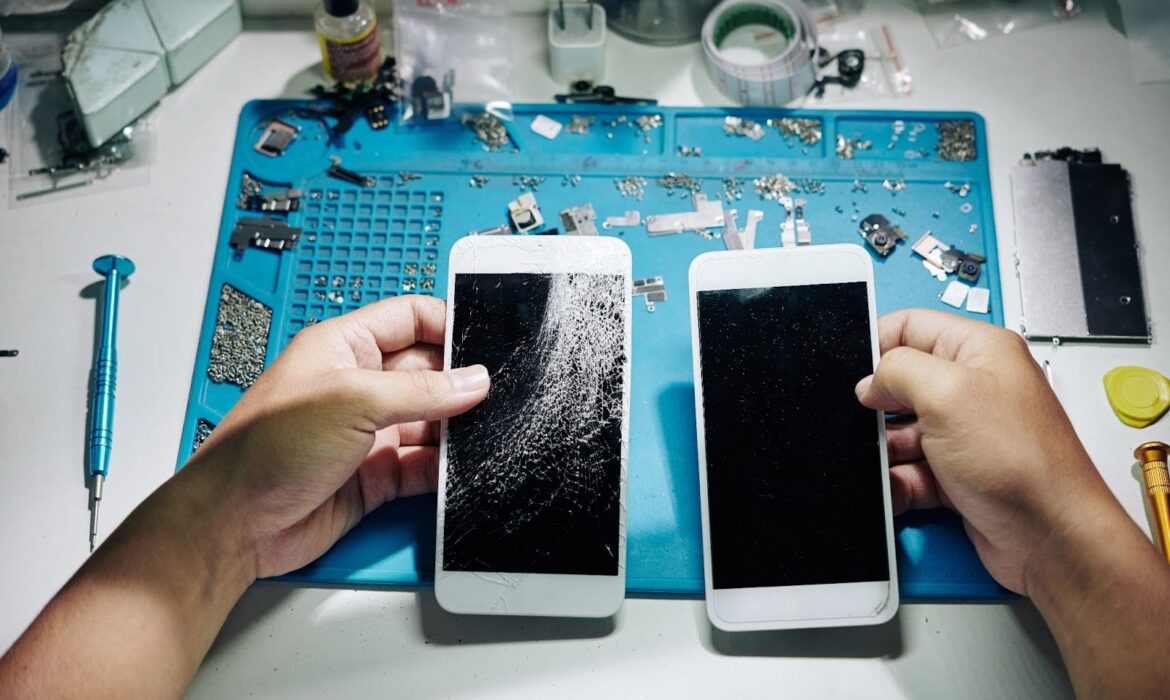
Is It Cheaper to Repair Your Phone at a Shop or Get a New One?
Getting a new phone is always a treat, especially if your old one is acting up. Nonetheless, some phones can still be saved when you have the right handphone repair shop to go to. So what happens then – do you still buy a new phone or should you just stick to your old one?
Factors to Consider
- Cost of Repairs: Repairs can be affordable depending on the issue. Minor fixes like a screen repair or battery replacement are much cheaper than buying a new phone. That’s why it’s important to choose a reliable handphone repair shop!
A legitimate shop can save you money while restoring your phone. At Fixbot, we offer affordable smartphone repair and same-day repair services!
- Extent of Damage: Assess the condition of your phone. If it’s something technical like motherboard repair, screen calibration services or water damage repair, it may be worth getting a quote.
On the other hand, extensive issues like hardware failures can be very expensive. Considering an upgrade would be a better option in these circumstances.
- Warranty and Genuine Parts: Certified repair shops use genuine replacement parts and offer extensive warranties. This ensures your device’s longevity without compromising performance.
Our extended warranty of 100 days will cover any unexpected issues post-repair. We also use mobile diagnostics tools to guarantee high-quality results.
Time and Convenience: Many shops provide quick mobile repair service. This includes same-day fixes for common issues like cracked screens or battery problems. This can be a major time-saver compared to researching and purchasing a new phone.
When to Repair
- Your Phone Is New: If your phone is relatively new, consider repairing it instead. Chances are your warranty might still cover certain repairs. Newer models also have higher repair success rates.
- The Problem Is Minor: Issues like a cracked screen, slow charging or a faulty speaker are simple fixes. Our handphone repair shop can resolve these quickly and at a much cheaper price than buying a new one.
- You Want to Save Money: Repairing your phone is cheaper than buying a new one, especially for premium models. By visiting a trusted handphone repair shop, you can extend the life of your device and avoid the hefty price tag of a new model.
- Eco-Friendly Choice: At the end of the day, choosing to repair your phone is a more sustainable option. Buying a new phone contributes to electronic waste, while repairing yours will reduce environmental impact.
When to Buy
- Your Phone Is Old: Repairs are not worth it if your phone is generations behind. Older phones may struggle to support newer software updates. This can result in poor performance and compatibility issues.
- Repeated Repairs: If you’ve been to the handphone repair shop multiple times for the same issue, it’s time to move on. Fixing your phone repeatedly will probably cost more than buying a new one.
- You Need Advanced Features: New phones come with innovative features that older models lack. If you find yourself needing improved camera quality, faster processing or 5G connectivity, it might be time to make the switch.
- Severe Hardware Issues: Sometimes, data recovery for smartphones or complete hardware repair solutions aren’t worth the cost. It’s better to invest in a new phone, especially if the hard issues are costly.
Tips to Take Care of Your Phone

A handphone repair shop is like a doctors clinic. You get a check up if you’re not feeling well and the same goes for your phone. The best way to prevent a visit to the repair shop is by taking care of your phone the right way:
- Handle With Care: Treat your phone like the valuable gadget it is. Avoid tossing it on hard surfaces, squeezing it into tight pockets or exposing it to unnecessary stress. Gentle handling goes a long way!
- Charge Smartly: Charge your phone before it drops below 20% and unplug it once it hits 80–90% for optimal battery health. Avoid letting it drain completely or stay plugged in for hours, as this can degrade the battery lifespan.
- Use a Durable Phone Case and Screen Protector: Protect your device from accidental drops and scratches. A good phone case and tempered glass screen protector are simple solutions that can save your phone from repairs. They’re also not that expensive.
- Beware of Water Damage: Water is one of the most common phone killers. Use waterproof cases or avoid bringing your phone near water to prevent water damage. If your phone does get wet, turn it off immediately and get it to a repair shop.
Conclusion
Buying a new phone to replace your older one has many advantages. Nonetheless, a simple repair might be the solution to fixing any issues with your old device. This can have many advantages including cost effectiveness, environment preservation and many more.
So remember to choose wisely and don’t hesitate to contact us for help.